
Business Management Consulting Company UAE, Oman, Qatar > Strategy Management Software > Spider Impact 5.9 Is Here: AI Connectors, Insights and Approvals
Spider Impact 5.9 Is Here: AI Connectors, Insights and Approvals

Spider Impact 5.9 is now available, and Crystal Consulting Group is delighted to bring it to organizations across the UAE, Oman, Qatar and the wider Middle East.
Version 5.9 brings AI directly into the way your teams work. ChatGPT, Claude and Microsoft 365 Copilot can now connect straight to Spider Impact, and a fully documented API opens the whole application to integration. Every scorecard gains an AI analyst that reads your entire strategy and tells you what it finds. And it brings the multi-level sign-off that larger organizations and government entities have been asking for. Here is what’s new, and why it matters for your performance management.
1. AI and API: Connect ChatGPT, Claude, and Microsoft 365 Copilot to Spider Impact
ChatGPT, Claude and Microsoft 365 Copilot already connect to much of the software people use at work, such as Microsoft 365, Google Drive and Slack. With 5.9, Spider Impact joins them. Using MCP (Model Context Protocol), the open standard these AI tools use to connect to other software, your team can link their AI assistant to Spider Impact and ask about scorecards, initiatives, datasets and briefings in their own words.
The answers come straight from Spider Impact, so they are always current. And because each person connects with their own Spider Impact account, the AI tool sees exactly what that person can see, and nothing more.
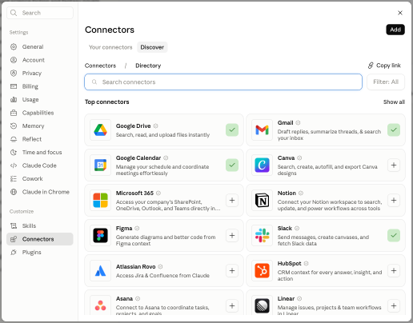
- Simple to connect: the API Access page under Administration shows your installation’s MCP server URL. Add Spider Impact in ChatGPT, Claude or Copilot using that URL, log in to Spider Impact and approve the connection.
- From questions to action: if an administrator allows it, people can also let their AI assistant enter KPI values, add KPI notes, record initiative progress and create KPIs, wherever they could make the same change themselves. AI assistants usually ask before each change.
- Full visibility and control: the API Access page lists every connected AI tool alongside your API tokens, and disconnecting one cuts off its access immediately. Access also ends automatically after 30 days without use.
- Off until you say so: AI connections stay switched off until an administrator turns them on in Application Administration.
Full API coverage
The REST API now covers the whole application, from datasets, scorecards and initiatives to forms, dashboards, reports and administration: more than 470 operations. For IT teams, Spider Impact can now connect properly to the ERP, HR and CRM systems your KPIs depend on.
- Self-documenting: an interactive API explorer at /api-docs lets people try every endpoint from the browser, and a single OpenAPI file gives AI agents and code generators everything they need in one fetch.
- Secure by design: every request uses a token from Administration > API Access and carries its owner’s permissions, and nothing more.
2. Scorecard Insights: an AI analyst for your strategy
Every scorecard now has an Insights tab next to Overview and Measures. Open it, and Impact Intelligence reviews the entire scorecard – every KPI, goal, trend, forecast and attached initiative – and writes a strategy audit in plain language. The audit streams onto the screen section by section, so you start reading straight away.
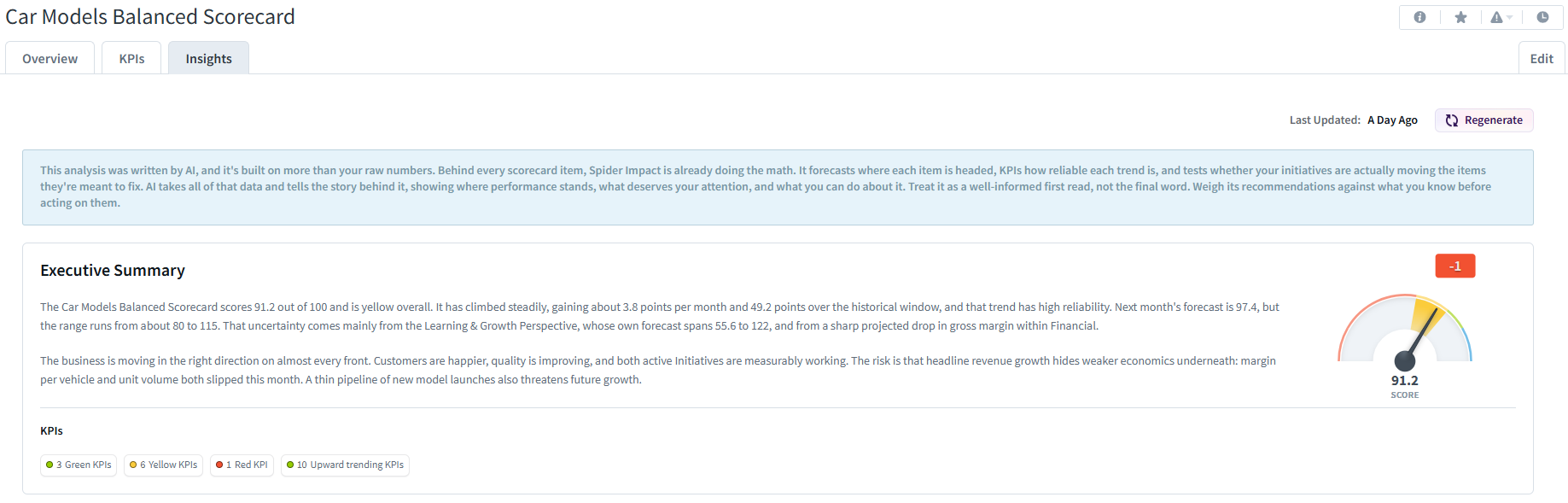
Think of it as the briefing a strategy office would prepare before a leadership review, produced in moments. Every audit follows the same structure:
- Executive Summary – where the scorecard stands and what that means, alongside the familiar score gauge. A row of tags counts KPIs by color, trend and those awaiting updates; click any tag to see exactly those KPIs.
- Performance in Key Strategic Areas – the two to four areas that most deserve attention, each with its current score, change since last period, projected change and the KPIs driving it.
- Key Findings – the cross-cutting patterns that are easy to miss when you track KPIs one at a time: two areas that should move together but don’t, an initiative that ran for a year and changed nothing, or unreliable data undermining forecasts. Each finding carries a severity badge and the numbers behind it.
- Corrective Actions – every red KPI with no initiative behind it, and every initiative rated as having a Negative, Mixed or No Impact on the items it supports.
- Recommendations – three to five concrete next steps, each backed by real figures from your scorecard.
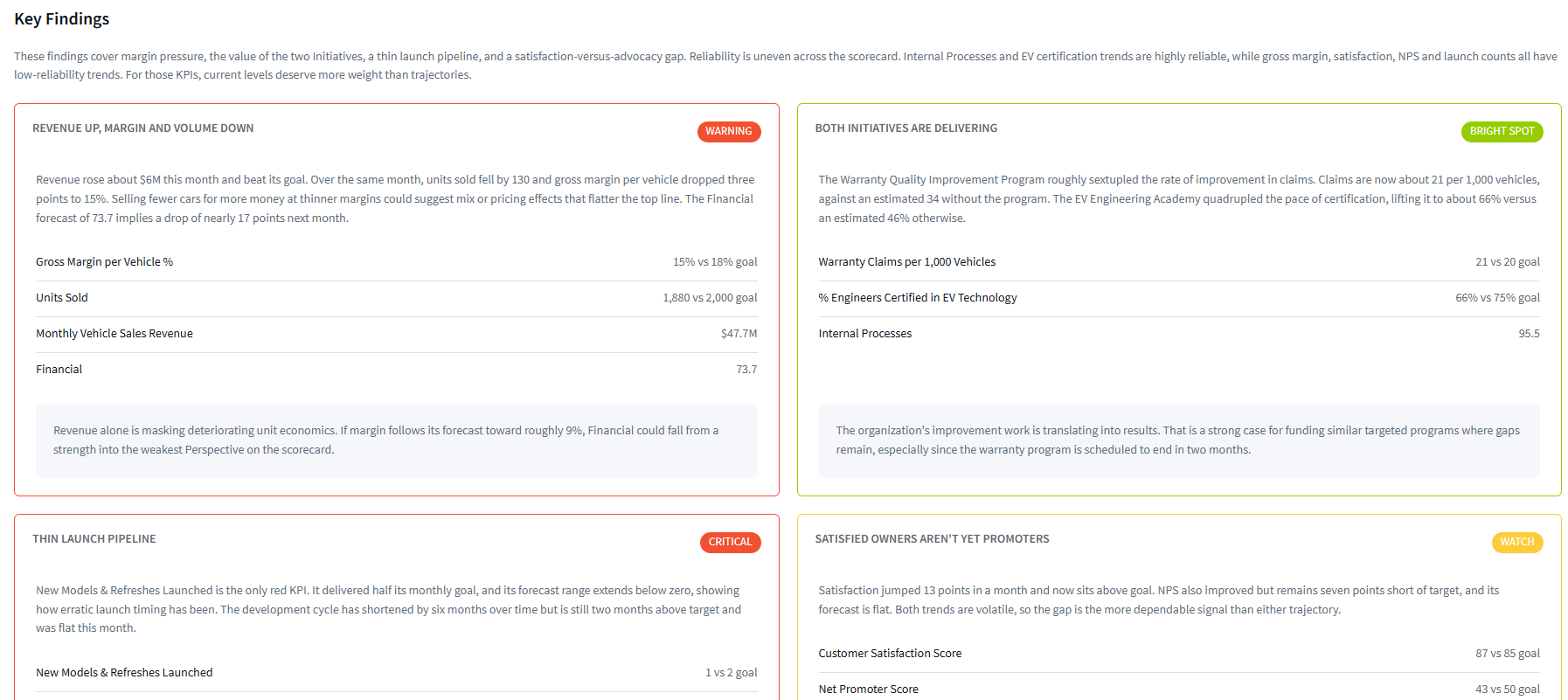
One point matters to anyone who is cautious about AI: every number in the report comes from Spider Impact’s own calculations, not from the AI. Spider Impact computes the scores, values, trends and forecasts; the AI decides what is worth pointing out and writes about it. The Corrective Actions tables are built directly from your data. Every scorecard item named in the report links straight to that item, so any finding can be verified in one click.
3. Multi-level KPI approval: governance that matches your organization
KPI value approval used to be a single step: an updater submitted a value and any owner could approve or reject it. In 5.9 you can build a sign-off chain of up to four levels – the kind of governance that ministries, government entities and large enterprises across the region require before performance figures become official.
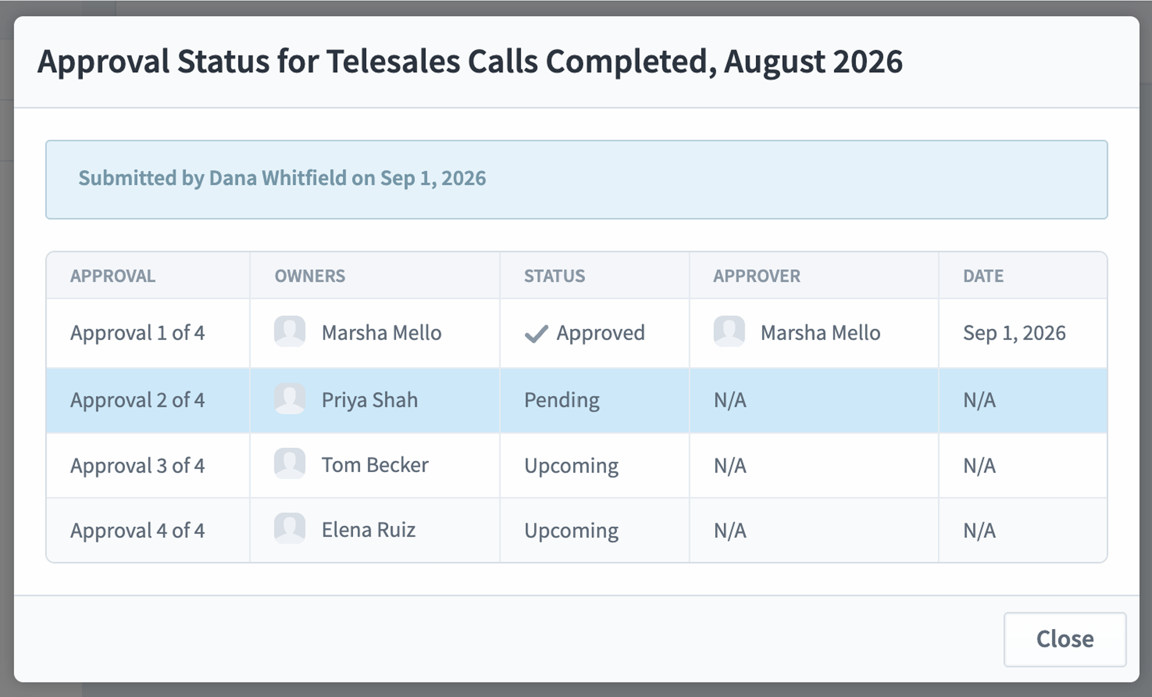
An administrator sets the number of levels in Application Administration. Each KPI then has its own owners at each level, and a submitted value moves up the chain, needing approval at every level that has owners before it takes effect. For example, a value entered by a department analyst can pass through a section head, a department director, the strategy office and an executive sponsor before it appears on the scorecard.
The workflow is fully transparent:
- Approval X of Y labels show approvers and updaters exactly how far along each pending value is.
- An Approval Status dialog shows the whole chain: which levels have approved, who approved and when, and who is still to come.
- If a value is rejected at a higher level, everyone who approved it earlier is alerted, along with the original updater.
- Mass Edit lets you assign owners to each level across many KPIs at once.
- Owners are shown with their level – for example Priya Shah (Level 2) – in info dialogs, scorecard reports, the Measures tab and the Owner/Updater report.
- A complete audit trail: every KPI approval and rejection is now audited, along with where each KPI value came from, giving internal audit and compliance teams a full record.
More in Spider Impact 5.9
Dashboards, reports and templates
- Organization templates: export an entire organization – scorecards, dashboards, reports, strategy maps, datasets, apps, forms, initiatives and briefings – as a single file and import it into another installation, ideal for moving from test to production or rolling out a standard model across departments.
- KPI count widgets: shape widgets can now count scorecard items, for an at-a-glance watchlist of red KPIs, yellow KPIs or one person’s KPIs.
- Sticky report headers: column headings stay in view as you scroll.
- Importing KPI equations: scorecard imports can include calculated-KPI equations, saving days of manual setup on large rollouts.
- Arabic scorecard import templates: the example import file now downloads as an Excel file, so Arabic text displays correctly.
Forms and Apps
- Required fields marked with a star, updating live as form actions change the rules.
- Pre-filled forms from the link: form variables can be set through URL parameters, so each recipient gets their own version of a form.
- More data for actions and conditions: files, calculated fields and aggregated values from linked records (Sum, Average, Minimum, Maximum and more).
- Record lists remember your search and sort, and now show up to 1,000 records.
- Faster forms: opening records and pages with large linked fields is noticeably quicker.
- Drilldowns stay inside Apps, and the Send To export button is back, for briefings, email, Word, PowerPoint, PDF and PNG.
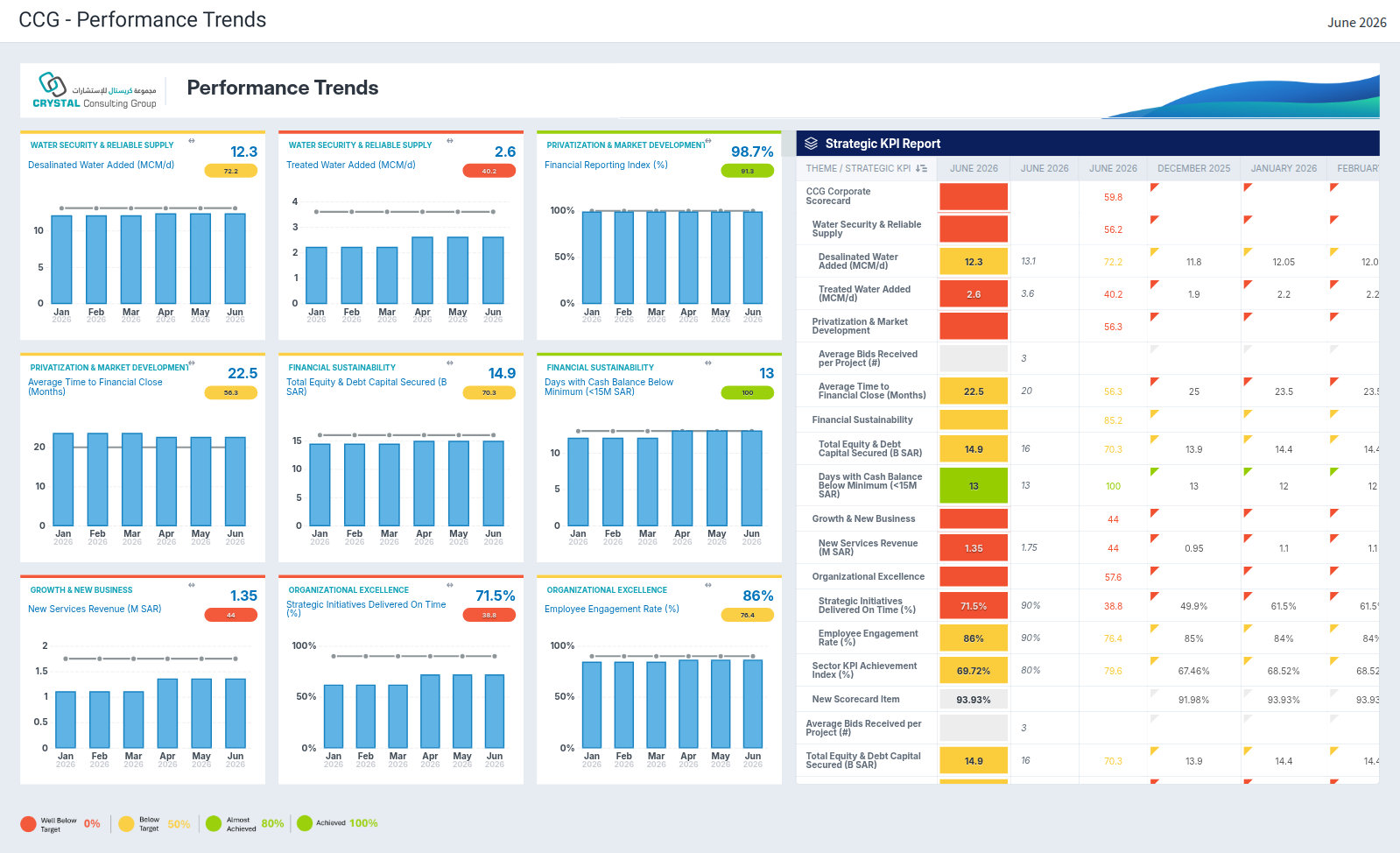
See Spider Impact 5.9 in action
Whether you already run Spider Impact or are evaluating strategy and performance management software for the first time, Crystal Consulting Group can help you get the most out of 5.9 – from upgrade planning and AI connector setup to Scorecard Insights rollout to API integrations and approval-chain design.
Book a personalized demo or upgrade consultation with our team today. Contact Crystal Consulting Group
What’s New in V5.9 Guide:
Click Here
What’s New in V5.9 Video:
Youtube
Tags
#Automation
#BalancedScorecard
#BusinessIntelligence
#BusinessSoftware
#BusinessStrategy
#Customization
#DataVisualization
#DecisionMaking
#GoalAlignment
#GoalSetting
#GoalTracking
#InitiativesManagement
#KPI
#KPIManagement
#PerformanceImprovement
#PerformanceManagement
#PerformanceTracking
#ProjectManagement
#Reporting
#SMARTGoals
#SoftwareSelection
#SpiderImpact
#StrategyExecution
#StrategyManagement
#StrategyMaps
#StrategySoftware
#Visualization
#نمو_الأعمال
Categories
Related articles